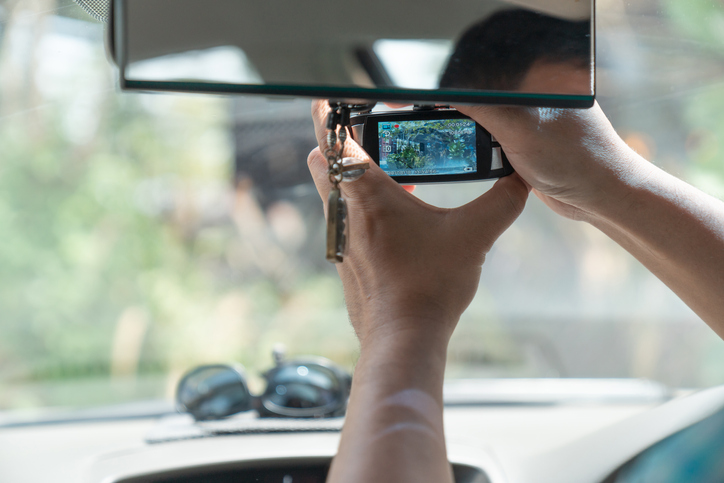
You can’t always count on witnesses after a car accident—or even your own memory. Dash cams give you a visual record of what happened, frame by frame, so you can see exactly how things unfolded. That footage can show who’s at fault, making a car insurance claim a lot less stressful.
“Having one definitely gives you peace of mind, even if you never have to use this thing, which is hopefully you never do.” That’s the advice of Ivan Drury, director of insights at automotive research company Edmunds.
But what’s the best dash cam out there right now? We reviewed top products in different categories, so you know which ones are worth buying.
How We Chose the Best Dash Cams
We looked at the things that actually matter when you’re on the road:
- Video quality: A good dash cam should capture road signs, license plates, and other details clearly. Manufacturers often emphasize resolution, but that’s only one spec to consider. Image processing and bitrate also affect how clear your footage will be.
- Night performance: Car accidents are more likely to happen after dark, so we spent time reviewing cameras that record high-quality footage in low light.
- Ease of use: A high-end camera with fancy features won’t be much help if it’s too difficult to operate. We considered how easy it is to install a product and adjust settings.
- Storage: We also scrutinized how much storage is available on each camera and how users can save recordings.
- Value for money: Spending more doesn’t always mean you get the best product. We reviewed dash cams at all price points, including cheaper models with plenty of useful features.
Best Dash Cams at a Glance
Here are our picks for the best dash cams, side by side:
|
Dash cam |
Best for |
Main strengths |
Price |
|
Viofo A329s |
Best overall |
Sharp video, flexibility, lots of features |
$460 – $520
|
|
Miofive S1 |
Those on a budget |
4K video without the premium price tag
|
$110 – $160 |
|
Rove R2-4K Dual Pro |
Nighttime driving |
Night vision, wide dynamic range |
$350 |
|
Viofo A229 Pro |
Front and rear coverage |
4K front video, 2K rear video
|
$310 – $380 |
|
70mai Omni X800 |
Parking mode |
Watching your car while it’s parked |
$350 |
|
Vantrue E1 |
Ease of use |
Simple controls, compact design |
$190 |
Best Overall Dash Cam: Viofo A329s
Our No. 1 pick is a camera that has everything you need without making things unnecessarily complicated. The Viofo A329s records super-sharp video and does a good job in low light, making it an outstanding choice for everyday driving.
It’s certainly not the cheapest camera on the market, but you do get what you pay for. Features include GPS, HDR, and parking mode, which lets you keep an eye on your car when the engine’s turned off.
The Viofo A329s comes in different configurations, with front-only, front and rear, and other options available. This gives you lots of flexibility in how much of your vehicle and surroundings you want to record. Footage is saved to a microSD card, but you can store recordings on the built-in SSD, too.
Ultimately, the Viofo A329s is a good fit if you want a step up from a basic camera but don’t want a long list of features that you’ll probably never use.
Best Budget Dash Cam: Miofive S1
You don’t need to spend hundreds of dollars on a dash cam nowadays, with plenty of products offering advanced features at a much lower price point. Take the Miofive S1, for instance.
It records crystal-clear 4K video at an impressive 30 frames per second and has a wide-angle lens for capturing more of the road around you. Other features include GPS, dual-band Wi-Fi for uploading videos, and a 3-inch display, so you definitely get value for money.
There are some limitations, mind. Unlike the Viofo A329s, the Miofive S1 only has a front-facing camera, meaning you can’t film what’s going on behind your car. However, this might be a trade-off worth considering if you want to keep costs down.
Drury says budget cameras like this one aren’t for everyone: “Spending a little bit of money can make a big difference. You could get exponentially better features, more peace of mind, and better clarity of video.”
Best Dash Cam for Night Driving: Rove R2-4K Dual Pro
Not every dash cam can film in low light, so bear this in mind if you drive after dark. This is where the Rove R2-4K Dual Pro may be a suitable option, thanks to its night vision and wide dynamic range that provide clear footage on poorly lit roads. Consider this product if you’re out and about before dawn or when visibility isn’t too great.
This camera also has GPS, Wi-Fi, and a 2.4-inch screen that makes it easy to play back and review your recordings. Then there’s the 150-degree front viewing angle, which gives an excellent view of the road ahead of you. Video quality is top-notch, too, with the front camera recording in 4K and the rear camera in 1080p.
Best Front and Rear Dash Cam: Viofo A229 Pro
Want coverage at both ends of your car? Viofo’s A229 Pro model gives you plenty of detail from all angles with a front-facing 4K camera and a 2K rear one. It also has GPS, Wi-Fi, HDR, and wide-angle viewing.
Setting up the A229S is pretty straightforward, even if you’ve never owned a dash cam before. Just mount the cameras, connect the cables, and you’re pretty much ready to start recording. You can also use the Viofo app to watch and download footage from your phone or tablet.
A dual-channel dash cam like this one essentially gives you a lot more context on the road. Rather than having just one perspective, you can see what’s going on both in front of and behind your car at any given moment. That gives you more protection, especially in a rear-end accident that a front-facing camera might miss.
Best Dash Cam for Parking Mode: 70mai Omni X800
We touched a little on parking mode earlier, and it’s a great way to keep an eye on your car when it’s unattended. In short, this feature can capture activity that might never be filmed otherwise, such as someone trying to break into your vehicle in a parking lot.
The 70mai Omni X800 is our top pick here, and it automatically starts recording after detecting motion around your car. So, if someone hits your vehicle while you’re away from it, it should be caught on camera. The product also boasts 4K recording and has a rear camera option.
Like most cams with parking mode, the 70mai Omni X800 needs to be hardwired to your car’s fuse box so it can keep receiving power.
“You’re going to have to pay someone to do this, or you’re going to have to do it yourself,” says Drury. “This depends on your level of aptitude or how you know familiar you are with electrical work.”
Best Dash Cam for Ease of Use: Vantrue E1 Pro
The Vantrue E1 Pro is extremely easy to install and operate, perfect if you want something simple that gets the job done.
Case in point: the controls let you quickly adjust settings without having to deal with complicated menus. The product also has a compact design, so it won’t take up too much space on your windshield.
That doesn’t mean it sacrifices features for simplicity. You still get all the extras you’d expect from a modern dash cam, including Wi-Fi and GPS. There’s also a voice command feature that lets you control the camera without taking your eyes off the road.
What to Look for When Buying a Dash Cam
Here are some of the things to compare when shopping for one of these products:
Video resolution
Video resolution simply means more detail. A 4K dash cam captures details more clearly than a standard 1080p dash cam, which can make a massive difference if you want to pick out things like license plates.
Don’t just think about resolution, though. A camera’s sensor, lens, and whether it has HDR capabilities also matter when it comes to image quality.
“You don’t have to go above and beyond and be able to see something that’s 100 yards away,” says Drury. “But you definitely want to see something that’s at least three to five car lengths ahead.”
Field of view
Choose how much area around your vehicle you want to capture. “You can record the front, the rear, even 360. Do you even want your interior and the passengers with you to be part of what’s being filmed as well?”
A dash cam with a wide-angle lens is useful for recording side impacts and other events that might occur outside a regular camera’s view. That said, too much width can actually distort an image and make some details more difficult to see.
Parking mode
Cameras with parking mode don’t all work the same way. Some respond to motion, while others turn on immediately after an impact.
“If a camera triggers based on motion, it’ll put a larger drain on the battery and produce more alerts. Make sure you purchase a memory card with more space and think about hardwiring the camera.”
Storage and battery life
The more storage a dash cam has, the longer you can keep recording without having to overwrite old footage. A good camera will typically have enough storage for several hours of video.
Also, check out a camera’s battery life before purchasing it: “If you go on like extended trips, don’t expect it to capture the entirety of your two-week vacation,” Drury says.
Installation
Hardwired setups typically involve running wires through your vehicle and connecting the camera to your fuse box.
In these situations, you may want a professional to install the product for you. “If you don’t think you’re going to do a clean, good job, don’t do it yourself.”
GPS
A dash cam with GPS records details about your location and your car’s speed. This can be useful if you’re involved in an accident and need to show your insurer where you were and how fast you were traveling.
“Virtually no insurance carrier is going to provide you with a lower rate for having a dash cam. But what it will do is prove that you were doing nothing wrong.”
Perhaps the best way to find the perfect product is to just see it in action. “Before you purchase a dash cam, go look for video of it actually being used,” Drury adds. “If you Google the name, people will have video, so you can determine things like clarity and night vision.”